
ISHG 2027


Follow the steps below to complete your registration and payment for ISHG 2027.
Visit the ISHG 2027 conference website. On the home page, click the Register Now button to begin the registration process.
 Step 1 – Home Page
The login window will open. If you have already registered, log in using your existing credentials and proceed directly to Step 5. New participants should click New Registration.
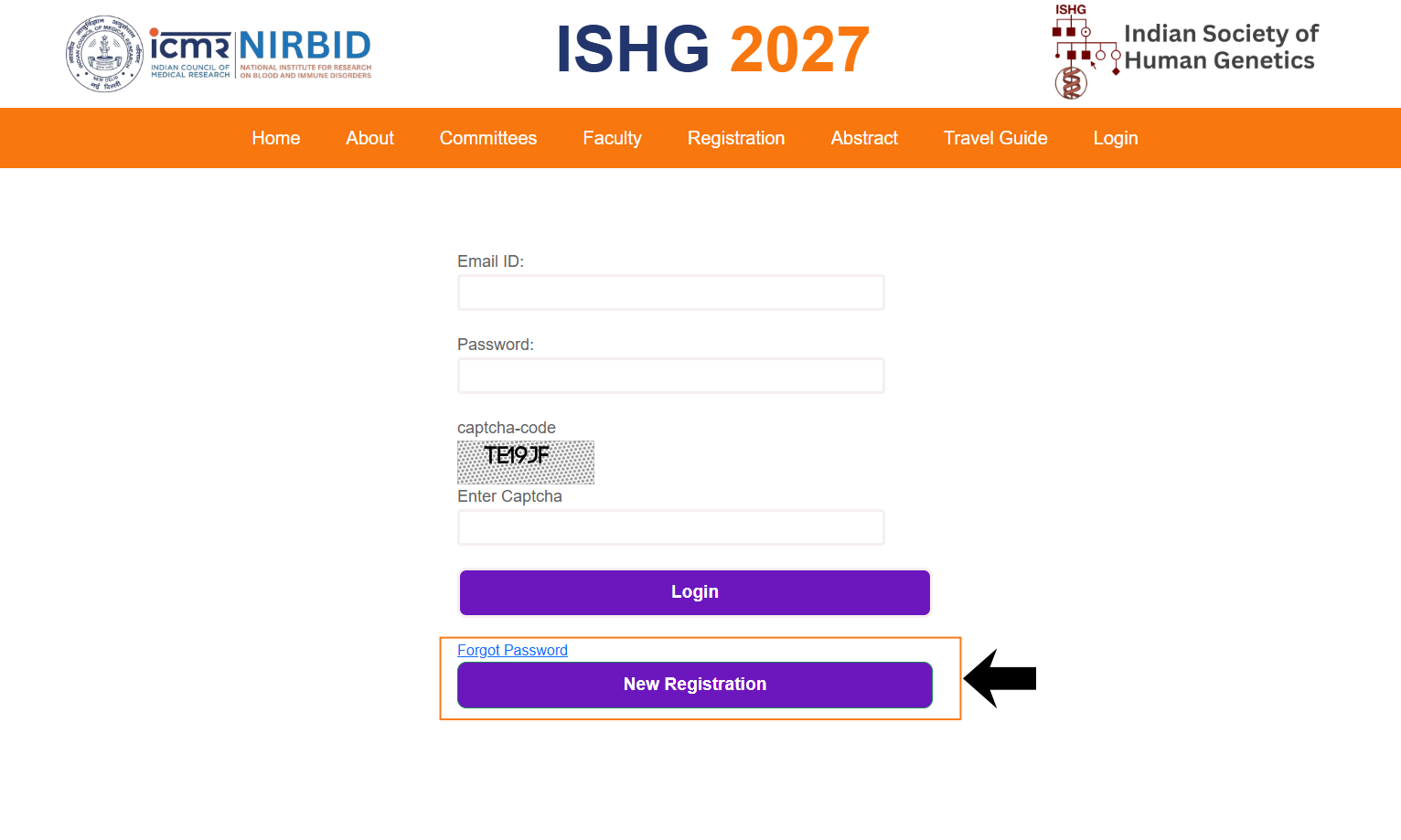 Step 2 – Login Window
Complete all the required fields in the registration form carefully. Make sure that all the information provided is correct. After filling the required details, click the Submit button.
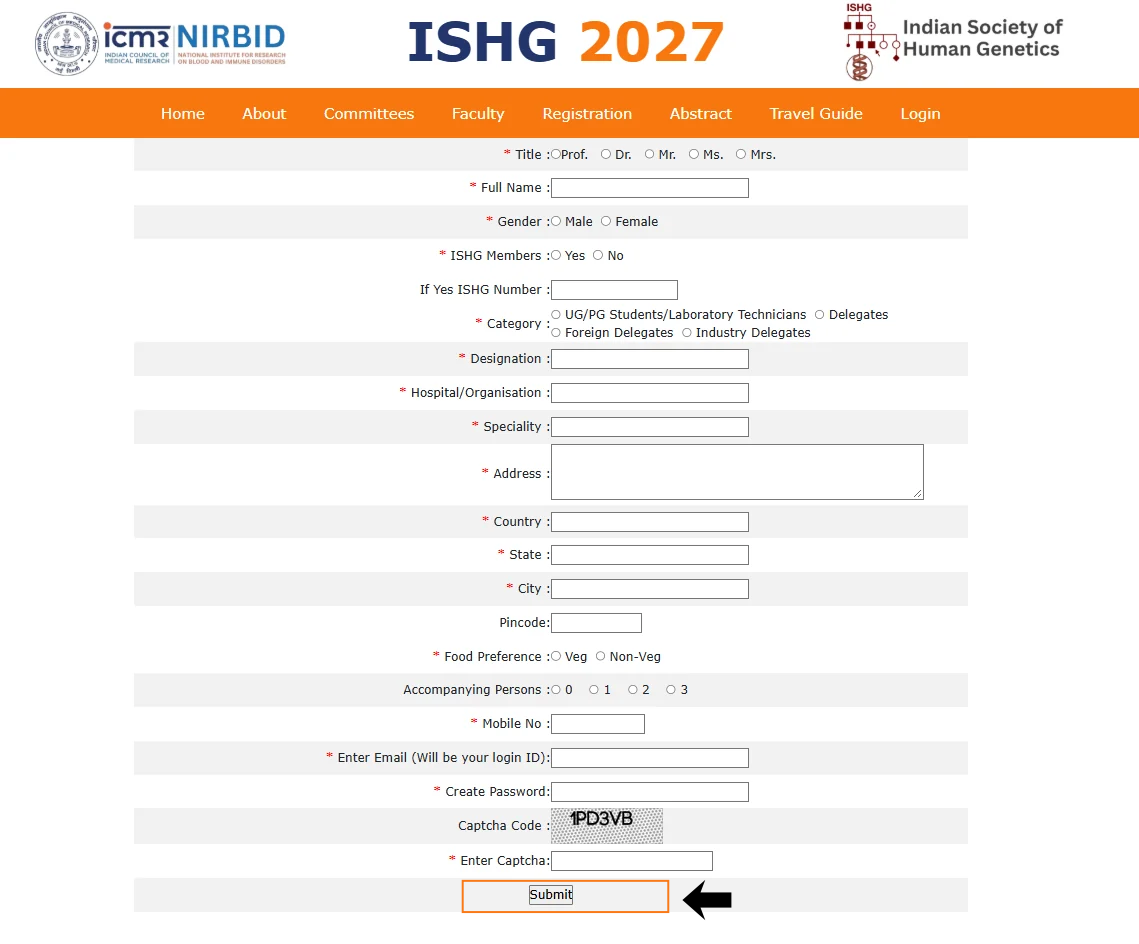 Step 3 – Registration Form
After submitting the registration form, a confirmation window will appear indicating that your registration was successful. Click on Login to continue.
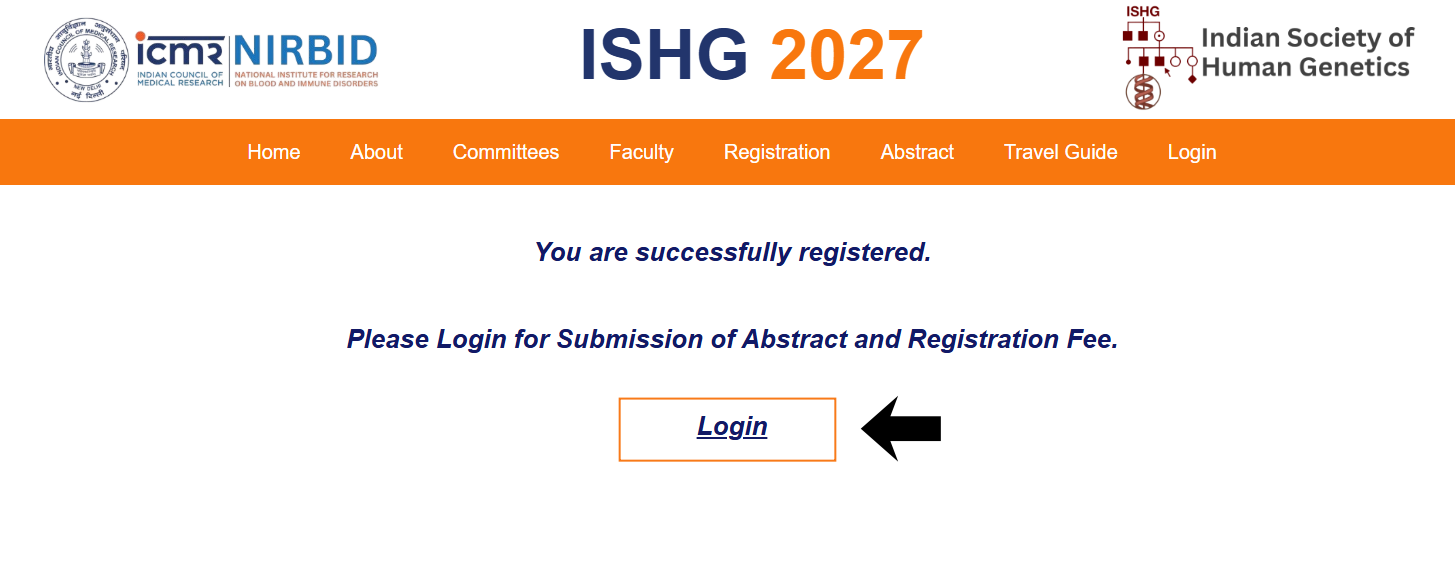 Step 4 – Registration Confirmation
Enter your registered email address and password to log in to your participant account.
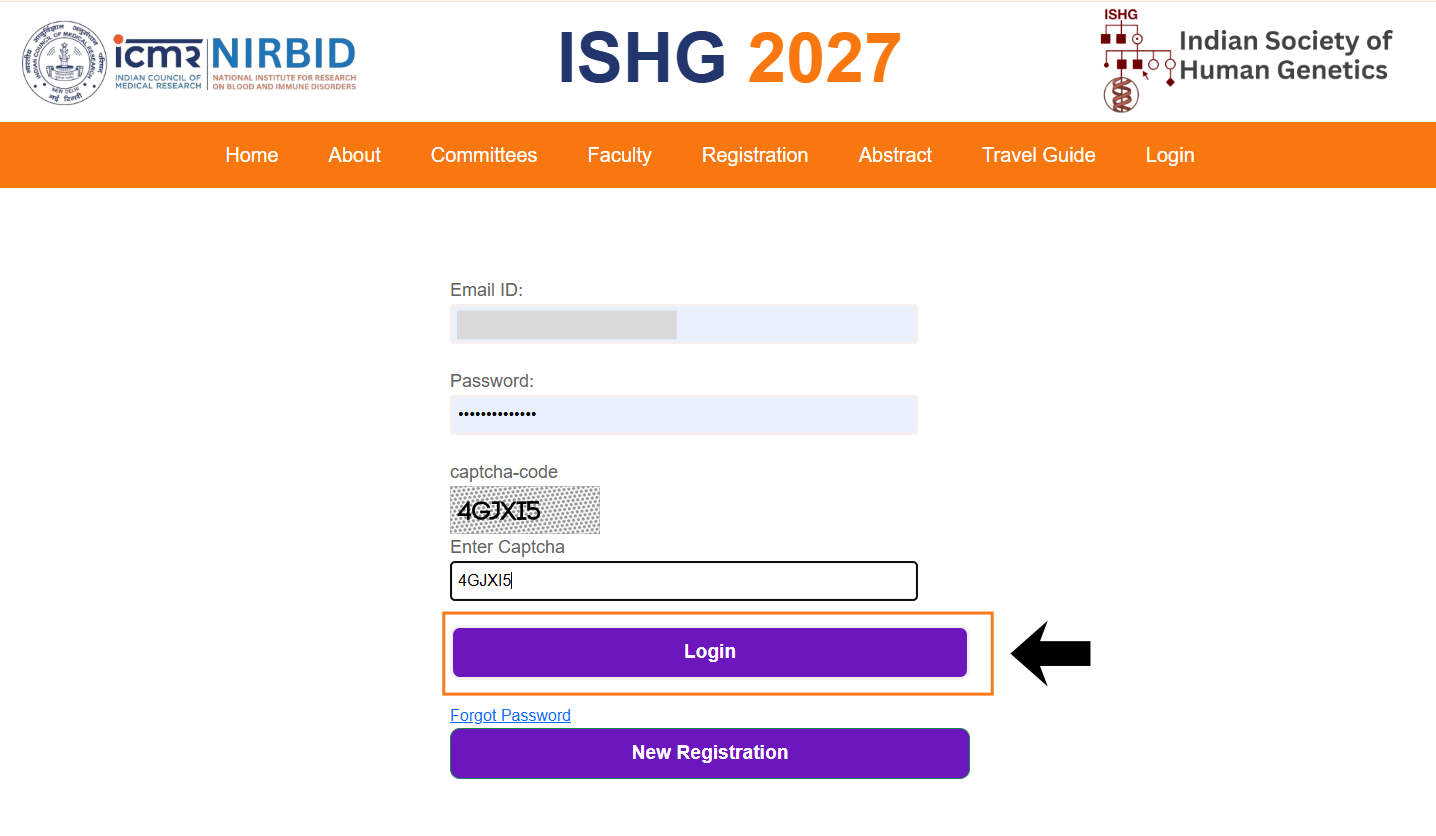 Step 5 – Participant Login
Your personal information page will open. Carefully review all the details. If any changes are required, edit the information and click Save/Update. Then click Next to proceed.
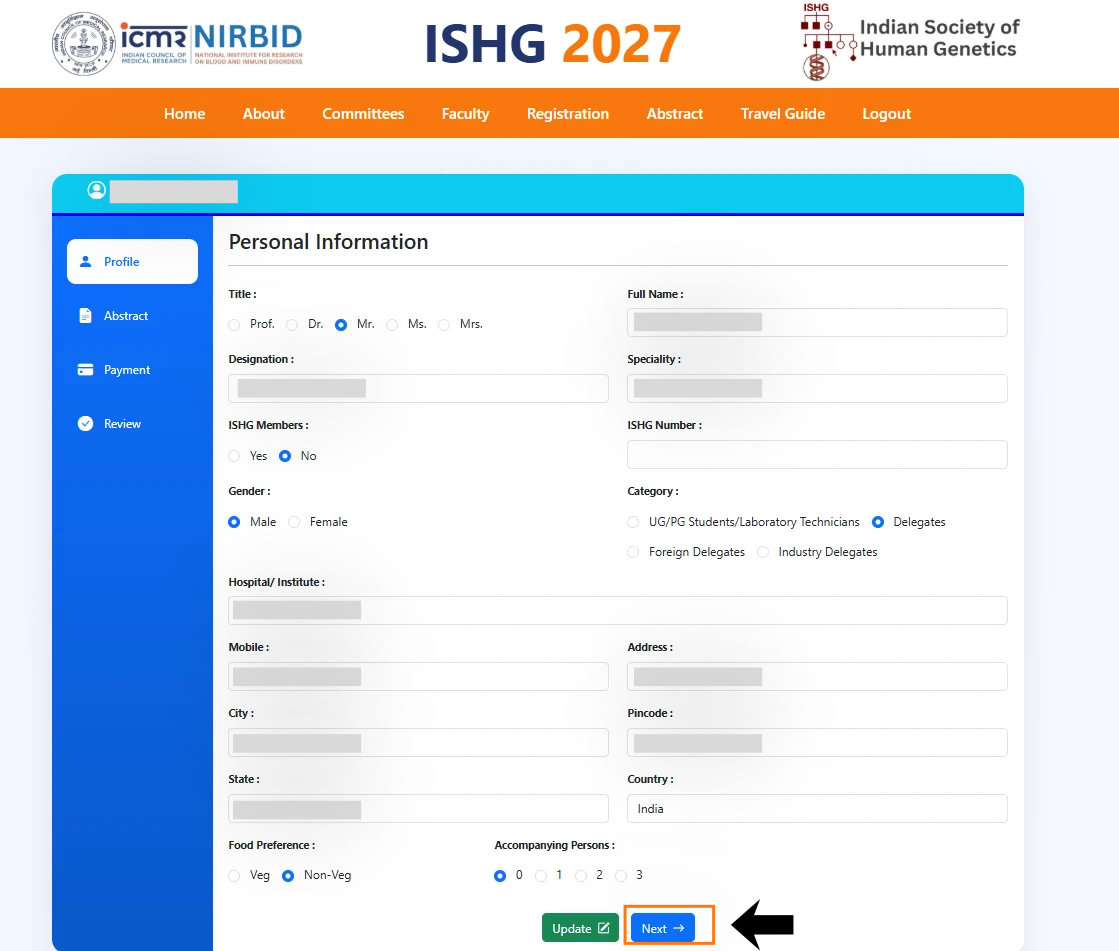 Step 6 – Personal Information
Abstract submission is optional if you only wish to complete your registration and payment at this stage. Click Next to proceed without submitting an abstract.
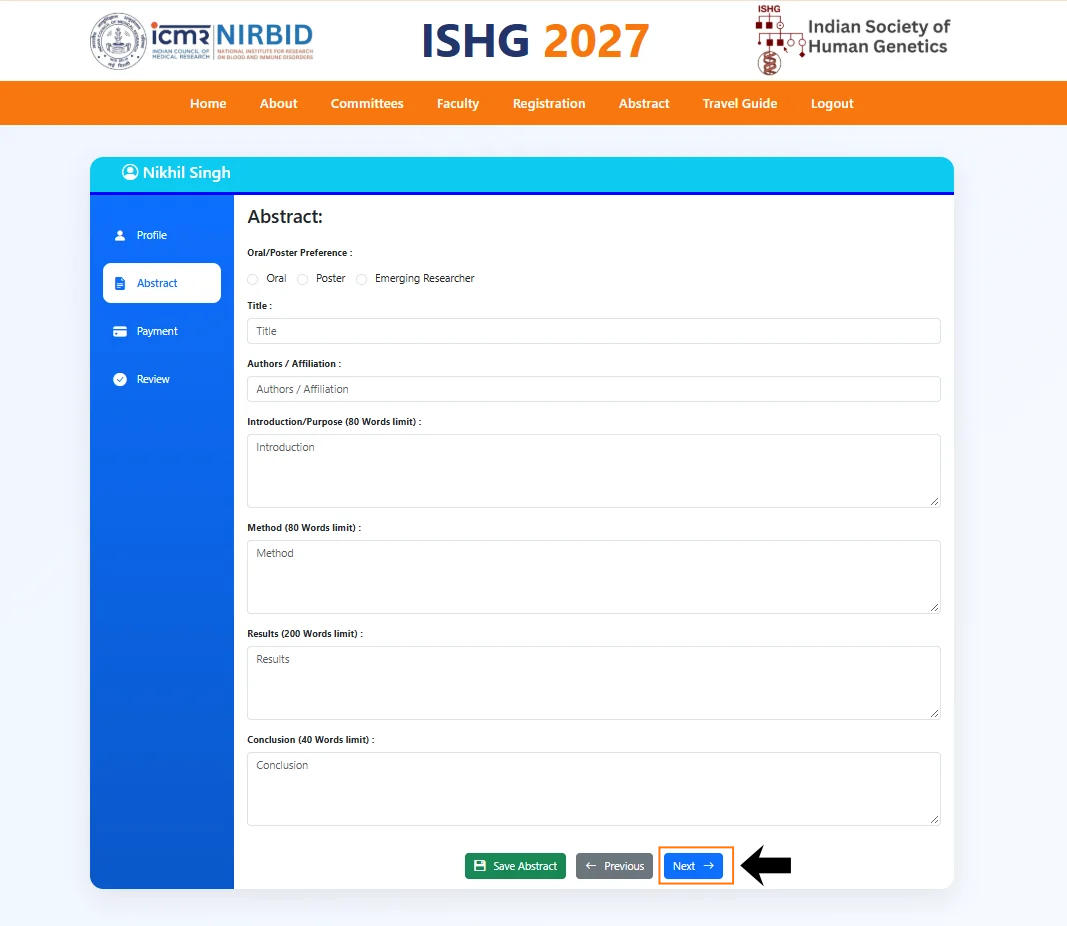 Step 7 – Abstract Submission
The payment page provides two payment options: UPI and Net Banking. Choose your preferred option and complete the payment.
After completing a UPI payment, enter your UPI Transaction ID and UPI ID, then click Update Payment to submit your payment details.
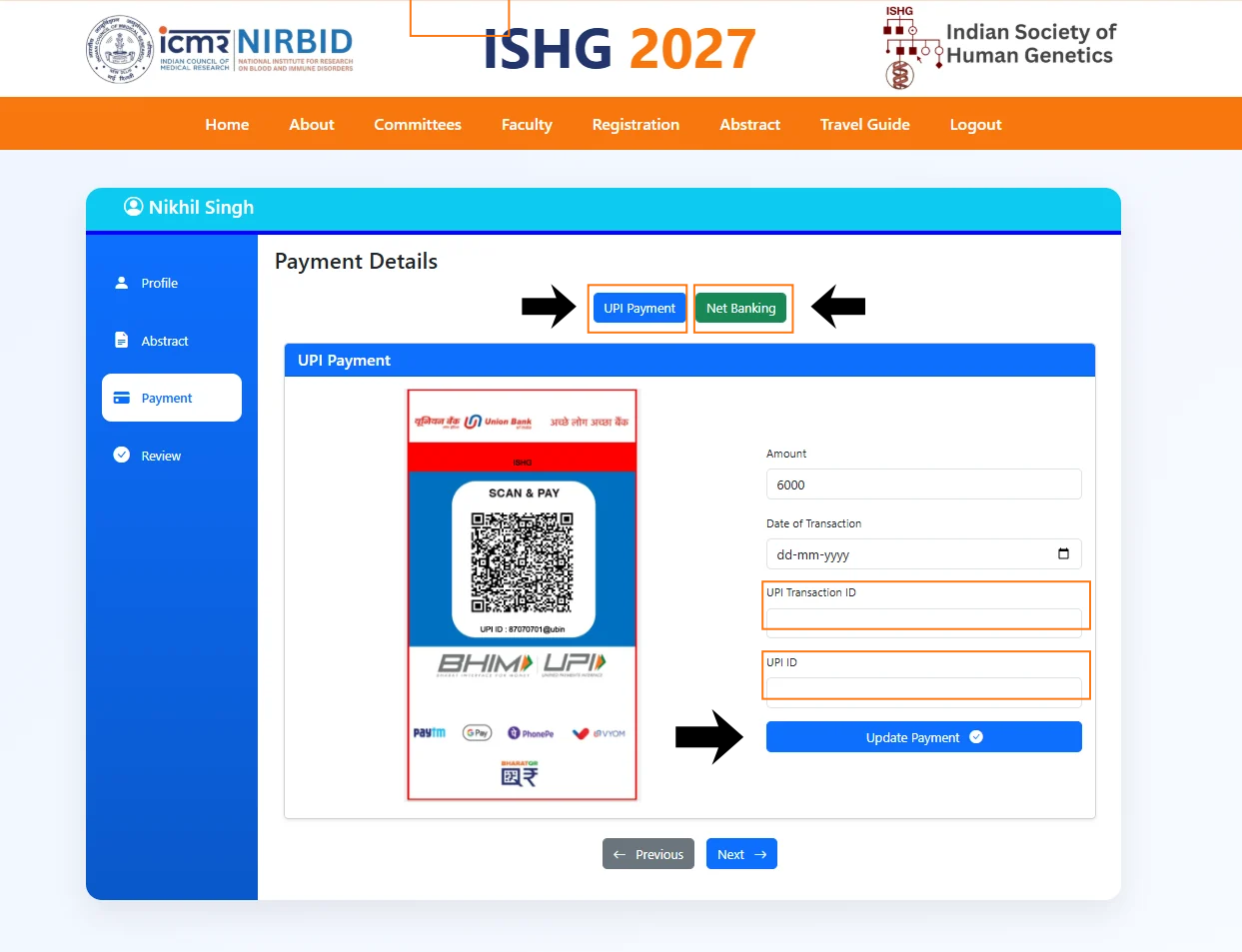 Step 8 – Payment
After your payment has been verified by the ISHG 2027 Organising Committee, the Download Receipt option will be available on the same page.
Click on Download Receipt to download your payment receipt.
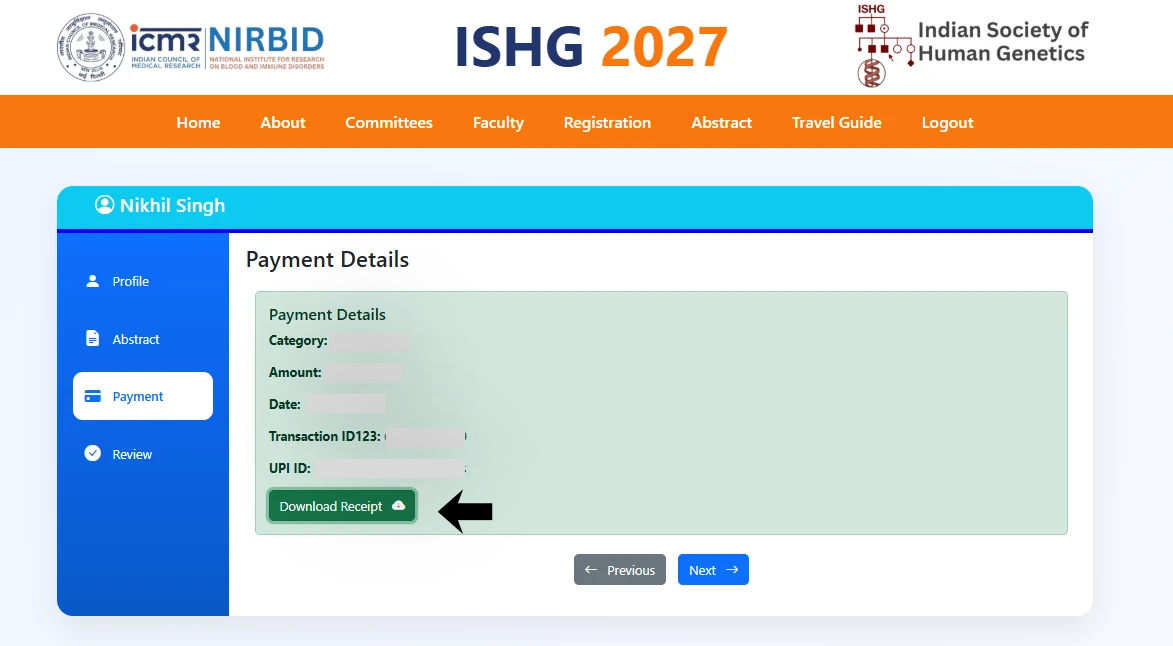 Step 9 – Download Receipt